

Install Microsoft Clarity

Free session recordings and heatmaps. See exactly what users do on your site.

Get Clarity (Free) Best Setup: Integrate with GA4

Why Session Recordings Matter

Analytics tells you what happened. Session recordings show you why.

When conversion rate drops 15%, Google Analytics can tell you it happened. But it can't show you the broken button, confusing form, or slow-loading page that caused it.

Microsoft Clarity is completely free — unlimited recordings, unlimited heatmaps, no sampling. It's one of the best-kept secrets in ecommerce analytics.

The Problem

Most teams install Clarity but never use it effectively. Why?

  • Too many recordings — Watching random sessions is a waste of time
  • No connection to metrics — You can't find recordings that explain metric changes
  • Manual searching — Filtering through thousands of sessions manually doesn't scale

The Solution

Integrate Clarity with Google Analytics. When you connect session IDs to your GA4 data, you can find the exact recordings that matter — the ones that explain why metrics changed.
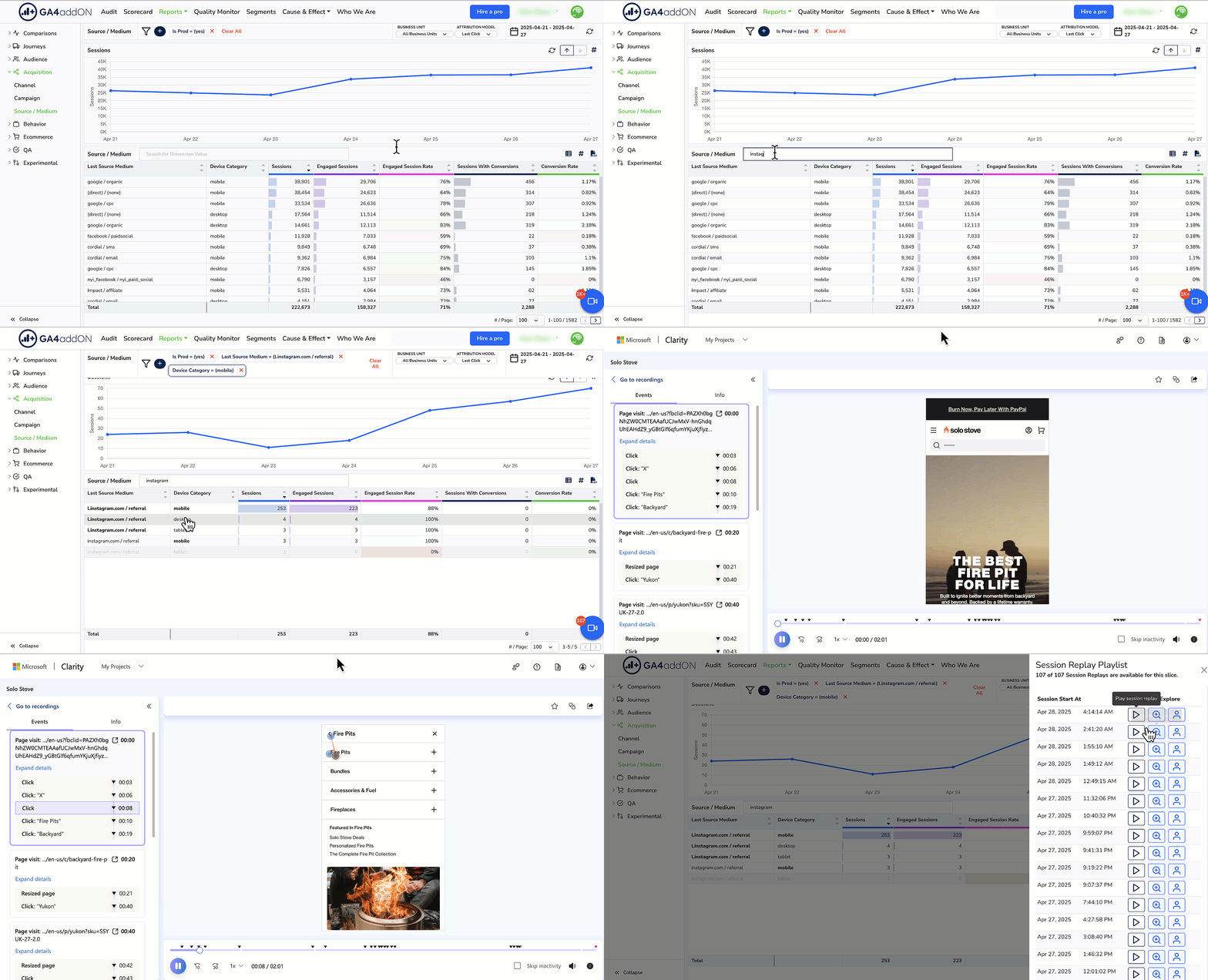
See aggregate trends,
then drill into specifics

The real power comes from connecting quantitative data (GA4) with qualitative evidence (session recordings).

Spot the change — GA4 shows conversion dropped 20% on mobile

Narrow the scope — It's only affecting Chrome users on checkout

Watch the evidence — See exactly what those users experienced

Find the cause — Payment button is broken on Chrome mobile

Drilling from metrics to session recordings

Quick Install vs. Integrated Install

Quick Install (Basic)

  1. Go to clarity.microsoft.com
  2. Create a project for your site
  3. Add the tracking script to your site

This gets you recordings and heatmaps, but no connection to GA4.


Integrated Install (Recommended)

Use our GTM template to install Clarity and connect session IDs to Google Analytics. This lets you:

  • Find recordings for specific user segments
  • Connect metric changes to actual user sessions
  • Let AI analyze recordings that explain anomalies

Follow our Clarity + GA4 Integration Guide →

See what's possible with session recordings

AI Ecommerce Analyst
for Session Recordings

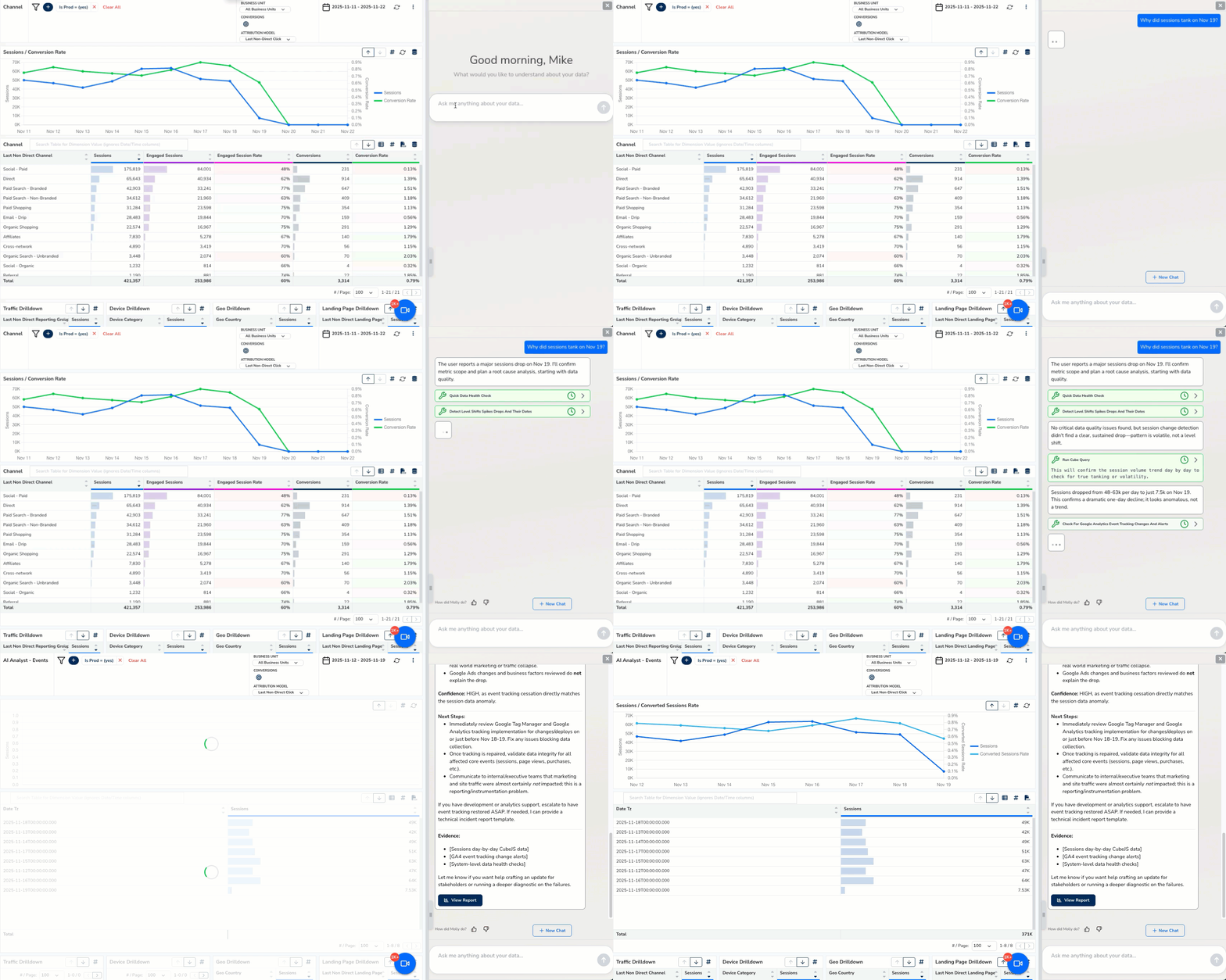
Overlook is the only AI analytics tool that connects session recordings to your metrics. When something changes, see exactly what users experienced.

Connected data — Session recordings linked to GA4 and ecommerce data

AI-powered search — Find the recordings that matter, automatically

Root cause analysis — From metric change to user evidence in minutes

Full context — See recordings alongside ads, revenue, and conversion data

Overlook analyzing session recordings

Ready to see what users actually do?

Install Clarity for free, integrate with GA4, then let Overlook help you analyze it.

Start Free Trial