
Install Microsoft Clarity
Free session recordings and heatmaps. See exactly what users do on your site.
Why Session Recordings Matter
Analytics tells you what happened. Session recordings show you why.
When conversion rate drops 15%, Google Analytics can tell you it happened. But it can't show you the broken button, confusing form, or slow-loading page that caused it.
Microsoft Clarity is completely free — unlimited recordings, unlimited heatmaps, no sampling. It's one of the best-kept secrets in ecommerce analytics.
The Problem
Most teams install Clarity but never use it effectively. Why?
- Too many recordings — Watching random sessions is a waste of time
- No connection to metrics — You can't find recordings that explain metric changes
- Manual searching — Filtering through thousands of sessions manually doesn't scale
The Solution
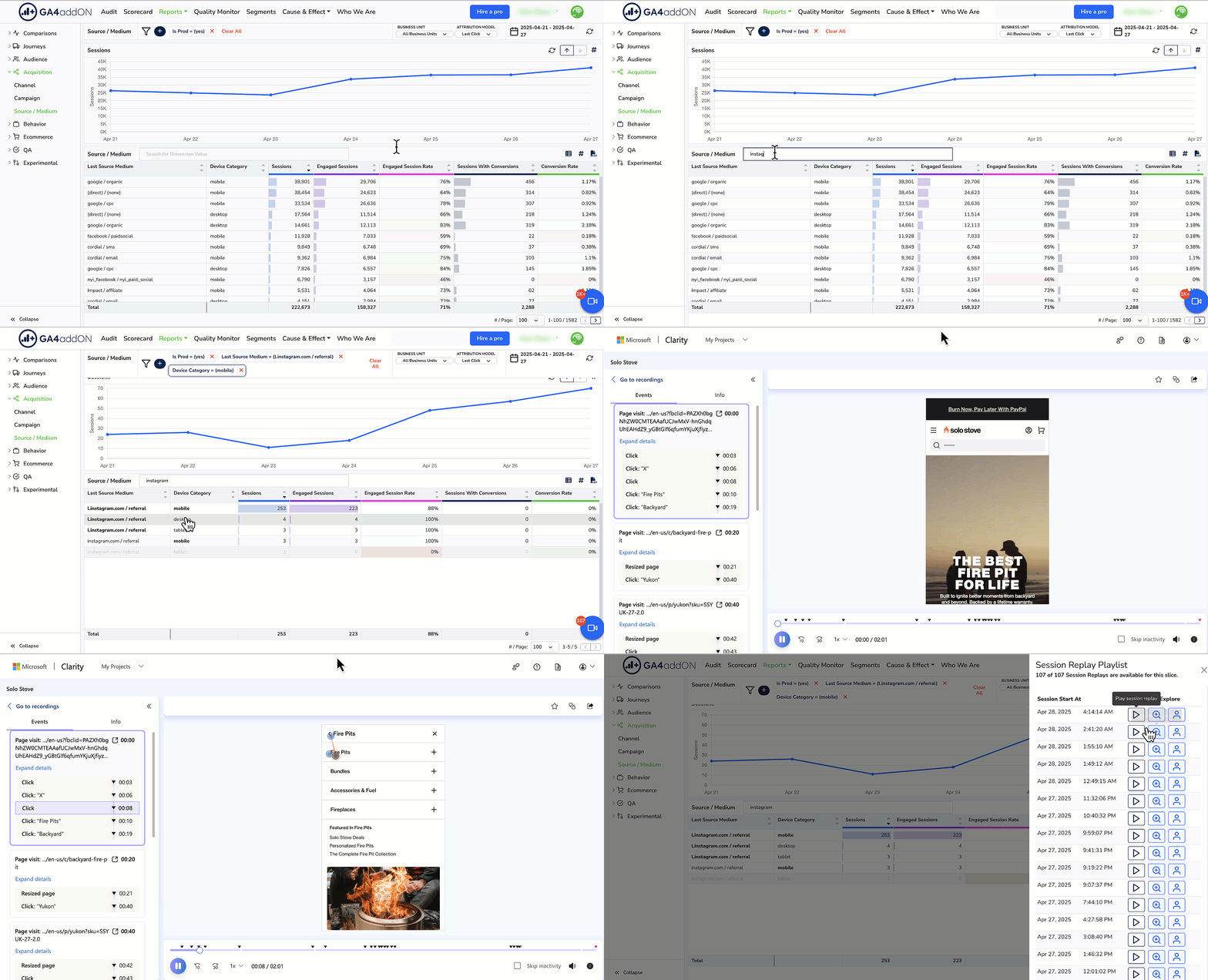
Integrate Clarity with Google Analytics. When you connect session IDs to your GA4 data, you can find the exact recordings that matter — the ones that explain why metrics changed.
See aggregate trends,
then drill into specifics
The real power comes from connecting quantitative data (GA4) with qualitative evidence (session recordings).
Quick Install vs. Integrated Install
Quick Install (Basic)
- Go to clarity.microsoft.com
- Create a project for your site
- Add the tracking script to your site
This gets you recordings and heatmaps, but no connection to GA4.

8661 S Sandy Parkway
Sandy, UT 84070
© 2026 Molly Data, LLC